As we celebrate the 20th anniversary of Konica Minolta’s bizhub brand of multifunction printers (MFP) this year, I’m happy to debut the first in a series of blogs that explores how bizhub has evolved over these past two decades. Today, MFPs like bizhub are devices that offices simply can’t do without. In fact, along with personal computers and the development of cloud computing, the MFP is one of the top business-efficiency products of the 21st century.
Think about any day in your office, and how often you copy, print, scan and fax documents to stay productive and keep your work moving. That’s because MFPs are central – aka the “hub” – to maintaining the flow of communication and information in any business, large or small, whether for internal purposes or across the world.
I’m proud that Konica Minolta has been a major player when it comes to today’s version of a fully featured, extremely productive and highly secure line of MFPs. Our newest bizhub One i-Series is the culmination of 20 years of listening to our customers, extensive product research and technology innovation.
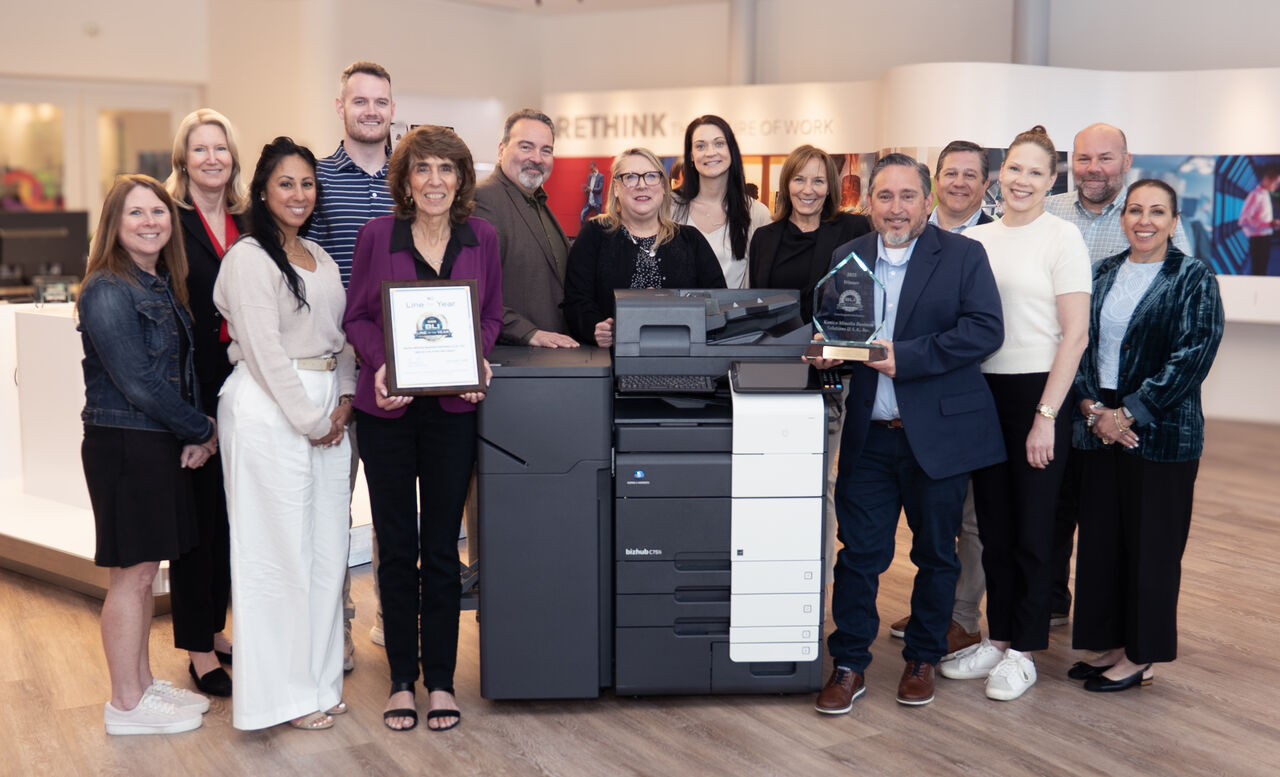 Multifunction devices first arrived on the scene by the 2000s, combining printing with scanning, copying and faxing. This marked a new era of speed, quality and versatility, along with even greater mass communication capabilities. Our own Konica Minolta bizhub series was officially introduced in 2005 and over the years has won many industry awards. Many of these from Keypoint Intelligence’s Buyer Lab (BLI), who most recently awarded us with their 2025 Line of the Year and four BLI awards.
Key historical milestones for Konica Minolta’s bizhub brand include advanced scanning software in 2005 to support the goal of a “paperless office” (which certainly has helped, but we know hasn’t really happened in offices), mobile printing solutions for bizhub devices to support hybrid and flexible work environments in 2011, and the bizhub SECURE concept to protect devices from cyberattacks. In 2019, we expanded bizhub’s security defenses with the introduction of Bitdefender Antivirus. I’ll expand on those particular protections below.
 Why MFP Security Became a Business Necessity
Once MFPs evolved from simple office machines to network-connected computers complete with data storage, it wasn’t long before it became obvious that, just like PCs, they could become entry points for cyberattacks. Every endpoint on a network, including every connected device, needs the right security protections. Networked MFPs presented major security risks for every business and its customers because unauthorized use of sensitive or proprietary information could lead to private information landing in the wrong hands, resulting in stolen or compromised intellectual property or legally protected private information. Over the last decade especially, security breaches have led to expensive fines and litigation, costing businesses millions of dollars and loss of reputation, which no organization wants.
Because MFPs can print, copy and scan to network destinations, send email attachments and handle incoming and outgoing faxes – often through cloud technology – industries such as healthcare, law firms, manufacturing, retail and banking also require compliance with specific protections by law.
Common Printer Security Mistakes and Their Consequences
Vulnerabilities in Multifunction Printers
Multifunction printers have several types of vulnerabilities. These include built-in storage media containing sensitive data, network connectivity that can be used for malicious activity and multiple access points – physical, remote logins and email-to-print. If the MFP’s security isn’t comprehensive, data can be intercepted and your MFP can act as a gateway into the entire office network, and even other networks.
The Cost of Data Breaches
Compromised printer security and the potential for a data breach happen more easily than you might think. Sharing or exposing usernames and passwords, not using good password practices, skipping software updates, and even leaving documents on the MFP’s printer tray can lead to a breach and fraudulent use. Employee ID cards are also a risk, because they’re frequently integrated with other security systems – but if they’re lost or given to someone else, unauthorized people may also use them.
Social engineering, especially phishing, has also grown dramatically in recent years. Social engineering is a broad term that refers to psychologically manipulating people to gain access to private information. Phishing is just one type of social engineering which uses deceptive emails, websites and messages to trick victims into providing information such as login credentials or financial information. Many of these deceptive tactics can compromise a business’s operations, such as when viruses or malware programs infect the entire network – and today’s MFPs are connected devices. People are working so quickly today that clicking on a link before taking a careful look can result in catastrophe. In fact, cybercrime most often results from inside an organization – 66 percent of data breaches involve an insider.
Other big threats include backdoor vulnerabilities, when software programs are poorly written or networked systems are improperly designed or configured, allowing access to bad actors via hidden entry points that bypass as system’s normal security measures. Malware and ransomware attacks, used by criminals to compromise networks or steal data for financial gain, are especially dangerous to organizations. Cyberattacks resulting from simple human errors to major network-wide ransomware attacks have become big business for criminals, with losses totaling billions of dollars each year. The cost associated with a global data breach jumped 10% in 2024, to an average of $4.88 million. The healthcare industry continues to be the most expensive sector for data breaches, costing more than $9.77 million per incident in 2024.
In fact, per research by the International Monetary Fund, the frequency of cyberattacks has doubled since the COVID-19 pandemic, which can be partly attributed to people working from home with their personal devices and connecting to other networks without proper endpoint security. The regulatory environment has since acted by increasing data-protection laws, including the Digital Markets Act in Europe, which went into effect on March 6, 2024. So far, 20 U.S. states have comprehensive data privacy laws in place.
Fortunately, today’s MFPs, and especially Konica Minolta’s bizhub devices, have come a long way in protecting users, networks and businesses with built-in security features to help prevent exposing data and potentially causing a damaging and expensive data breach. It’s critically important to make sure any MFP you’re considering has today’s most advanced security.
Top Security Features in Multifunction Printers (MFPs)
According to a recent SymQuest blog, the top five MFP security features are:
Konica Minolta’s bizhub One i-Series offers all these features and more, to give users true peace of mind that their information is reliably safe and as protected as possible. There’s enhanced security management that detects the signs of unauthorized password and authentication access early, before a breach can take place. And our embedded virus and malware protection provided by BitDefenderTM provides clear notification and status reporting, so users can decide how to process their jobs.
Layered Security and Compliance Solutions from Konica Minolta
At Konica Minolta, we recommend a layered approach for MFP security, which is why our bizhub MFPs offer tools like storage lock passwords, Solid-State drive encryption, automatic deletion of temporary image data and data overwrite of electronic documents on a timed basis. Additionally, there are optional features that proactively protect information from falling into the wrong hands and allow organizations to identify unauthorized copies, scans and print jobs via their date, time and MFP serial numbers. In addition, our bizhub SECURE family of services includes bizhub SECURE Healthcare, designed to provide healthcare organizations with MFPs that comply with HIPPA technical requirements concerning protected health information. And bizhub SECURE Platinum is an enhanced service with added security to meet the requirements of PCI for Finance and FERPA for Education organizations.
Complementing our bizhub SECURE services, Shield Guard provides a cloud-based platform that collects information about the security status of all your devices – which is especially valuable if your organization manages fleets of MFPs. Shield Guard provides remote management and monitoring plus regular security status reports. It notifies IT managers in the event of a device setting change and automatically performs mitigation. Even better, users can remotely monitor and manage the security of their entire fleet, whether in device groups or on a device-specific basis, to ensure their organization complies with information security standards and compliance.
The Future of MFP Security and AI Integration
Despite the security advances of recent years, especially since the COVID-19 pandemic, cyberattacks aren’t going away because they continue to evolve. Criminals will find stealthy ways into organizations to help themselves to proprietary and private information, especially where security is lax.
That’s why regular security training and adherence to good security practices are so important for every organization. Cybercriminals rely on human error, which is why phishing attacks continue to trend up. An estimated 3.4 billion emails are sent by malicious actors each day.
At Konica Minolta, we put our products through stringent cybersecurity certifications to protect systems and make sure they meet PCI, HIPAA, FERPA and GDPR regulations. As businesses are increasingly moving to cloud-based workflows, we’ve adapted by integrating enhanced cloud security features. You can count on Konica Minolta to continue to exceed industry cybersecurity standards in our devices.
Next month, I’ll be explaining why the Konica Minolta user interface that appears on our bizhub and other printing devices – even those for our industrial and production printing presses – incorporates key features to make using our devices simple and secure. In the meantime, don’t miss our dedicated bizhub 20th anniversary page, where you’ll find an interactive timeline, MFP personality quiz, videos and much more!